The activity log
Who changed what, and when.
Organisation → Activity, in the menu. Every creation, edit, deletion and restore of the records worth keeping a trail of, with the fields that actually moved and what they moved from.
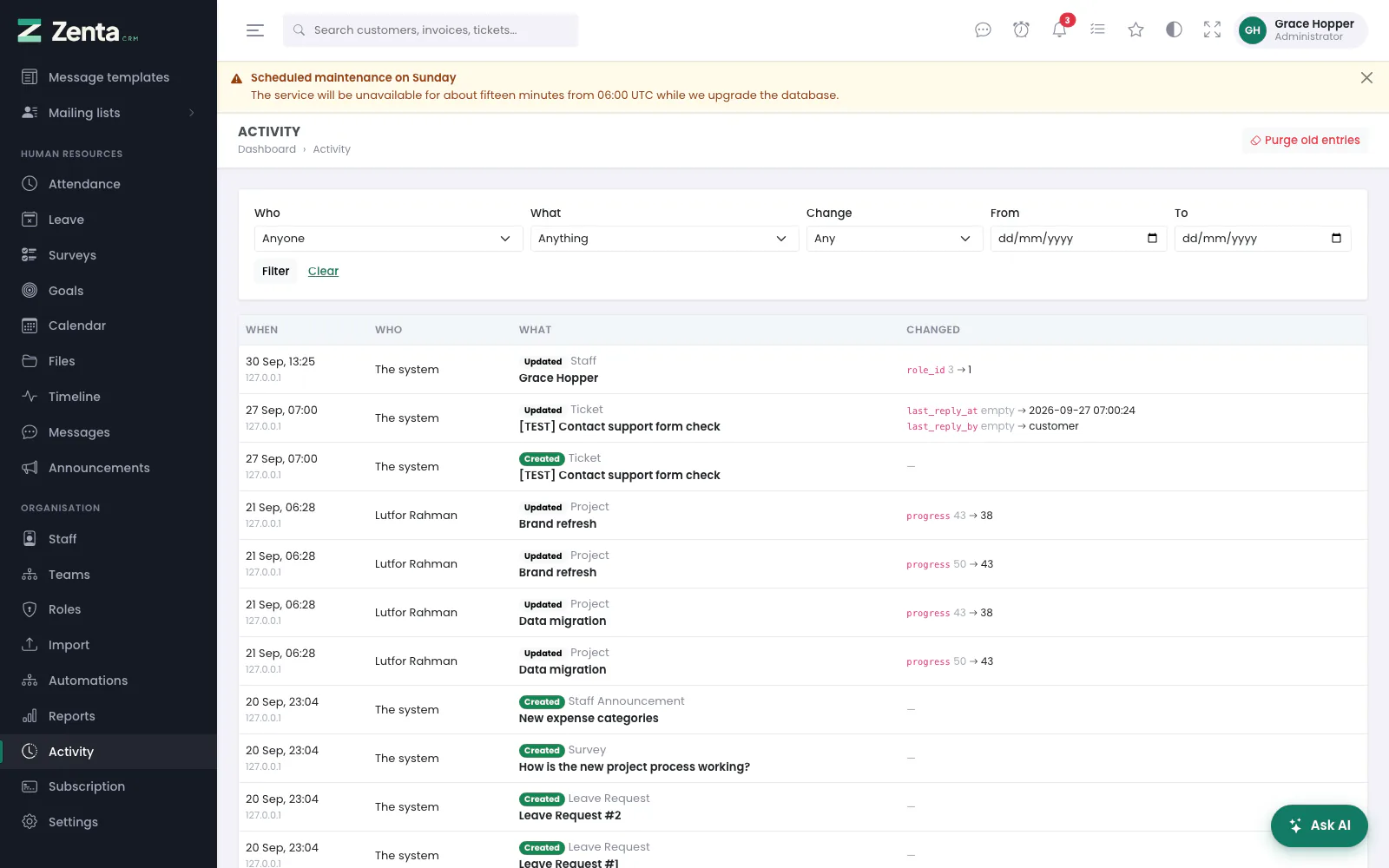 The activity log: when, who, what, and the before and after of each field.
Reading it
Newest first, fifty to a page. Each line shows:
| Column | What it shows |
|---|---|
| When | The date and time, with the IP address it came from underneath. |
| Who | The person who did it, or The system where a scheduled job or an automation was responsible. |
| What | The kind of change (Created, Updated, Deleted, Restored), the kind of record, and the record's name. |
| Changed | Each field that moved, as old → new; empty where there was no value. |
The name is copied onto the entry rather than only referenced, so the log stays readable after somebody leaves and their account is removed, or the record itself is deleted.
Filtering
- Who — one member of staff, or Anyone.
- What — one kind of record. Only kinds that have actually been logged are offered.
- Change — Created, Edited, Deleted or Restored.
- From and To — a date range, both days included.
Press Filter; Clear takes the filters off.
What is recorded
| Area | Records |
|---|---|
| CRM | Customers, leads, entries in a customer's Vault |
| Sales | Invoices, estimates, estimate requests, proposals, contracts, credit notes, payments, refunds, payment batches, expenses, recurring expenses |
| Delivery | Projects |
| Support | Tickets |
| Marketing | Campaigns, mailing lists, message templates |
| People | Leave requests, surveys, goals, staff announcements |
| Access | Staff accounts, roles, payment methods, automations |
Deliberately not everything. A log of every timesheet row and every reference list is noise that hides the entries somebody is looking for. A save that changed nothing a person would care about — recalculating an invoice's cached totals, say — writes no entry at all. A change made through a bulk action is logged record by record, like a change made one at a time.
What it will not record
A log that captured everything would be a second copy of your database with none of its protections, and the first place anybody would look after getting in.
Who can read it
Anyone whose role may view the staff list with the scope All records —
every member of staff, not only their own team. Administrators and the shipped
Manager role have it; the shipped Employee role, which
sees the staff of its own teams only, does not, so employees have no
Activity in the menu and no Latest activity panel on
the dashboard, and typing /admin/activity is refused. The log is exactly as
sensitive as the records it describes: it names every change to every invoice, project
and customer, including ones the reader could not open.
The same rule covers the Latest activity panel on the dashboard (see Reports and dashboards). A single record's own Activity tab, on a lead, customer or project you can open, asks only for View on staff (see Roles and permissions).
How long it is kept
Settings → Activity log. Keep entries for twelve months by default; 0 keeps them for ever. Older ones are removed weekly by the scheduler, in batches, so pruning a log that has never been pruned does not lock the table. The foot of the Activity screen says how long entries are kept.
Keep an activity log switches the whole log off. On a busy install it is the fastest growing table in the product, and a business that does not need it should not be paying for the writes.
Purging old entries now
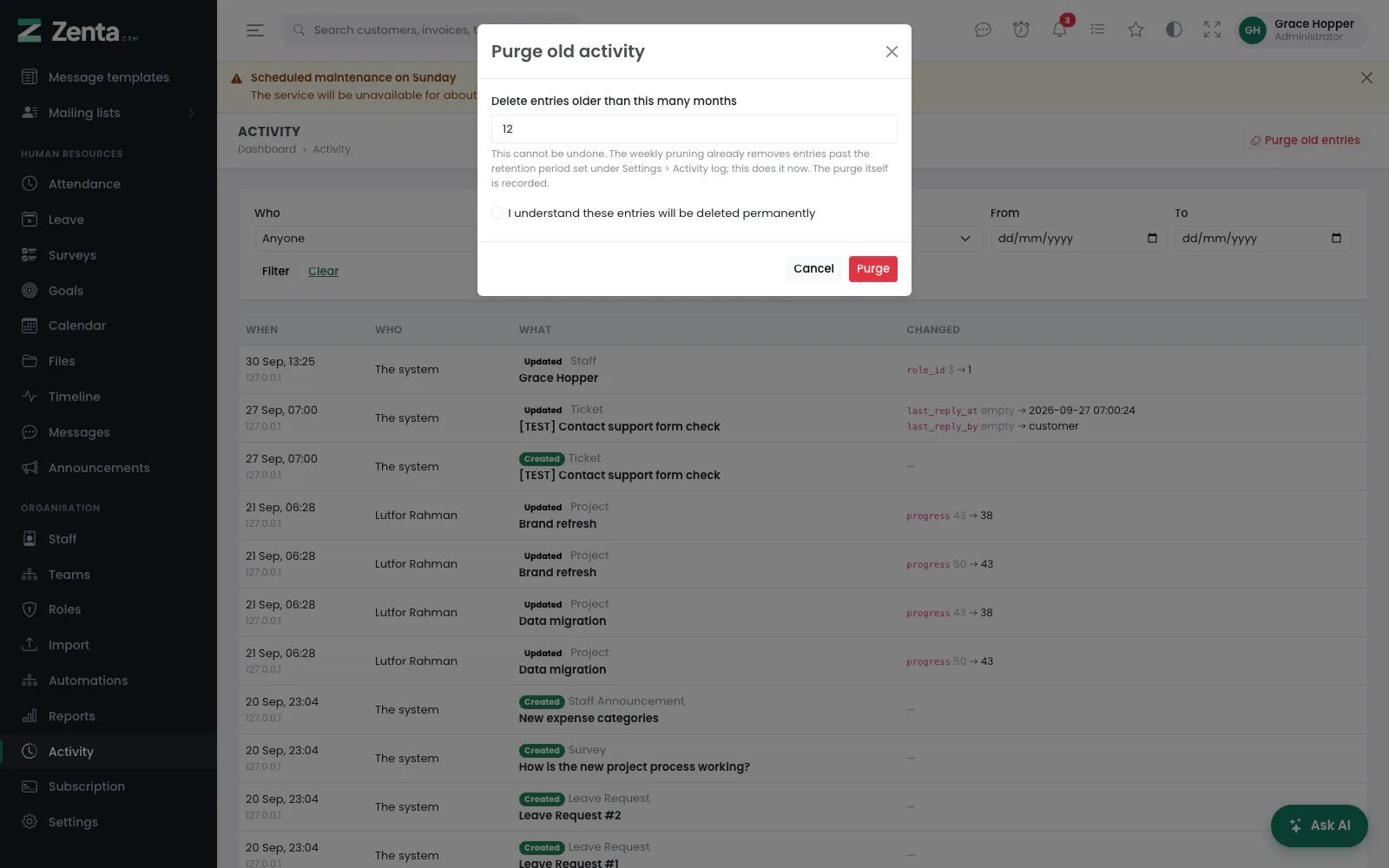 Purge old activity: how many months to keep, and the confirmation.
Administrators have a Purge old entries button at the top right of the Activity screen, for removing old entries straight away rather than waiting for the weekly pruning — before handing over a copy of the database, say.
- Press Purge old entries.
- Delete entries older than this many months — 1 to 120. It starts at your retention period.
- Tick I understand these entries will be deleted permanently.
- Press Purge. The message says how many entries were removed.
It only affects your own workspace and cannot be undone. The purge itself is recorded as a new entry — Purged 240 entries older than 6 months, with who did it — because removing the record of who did what is exactly what somebody with something to hide would want. Only administrators may do it, not everybody who may read the log.
Addresses on this page
For reference and for anyone scripting against the panel. Everything here needs somebody signed in to the workspace whose role allows it; anybody else is refused.
| Method | Address | What it does |
|---|---|---|
GET | admin/activity | The activity log, with user, type, event, from and to filters. |
POST | admin/activity/purge | Deletes entries older than a number of months (administrators only). |