REST API and webhooks
Read and write your data from anywhere, and be told when something happens.
Everything you can do in the admin panel, and everything a customer can do in the customer portal, a program can do through the API. There is an endpoint for every action on those screens, from raising an invoice to replying on a ticket, changing a setting or running a report. The only exceptions are pages that do nothing but draw a form, and steps that need a person at a browser, such as connecting a Google account. The full lists are the admin reference and the portal reference.
Two halves, two kinds of token
| Half | Addresses | Who |
|---|---|---|
| Admin | /api/v1/... | A member of staff. It can do exactly what that person can do on the screens, and nothing more. |
| Portal | /api/v1/portal/... | A customer contact. It sees their own company’s records, and only the parts of the portal they have been given. |
A staff token is refused on the portal addresses, and a contact’s token on the admin ones.
Getting a token
For a script or an integration: from Settings
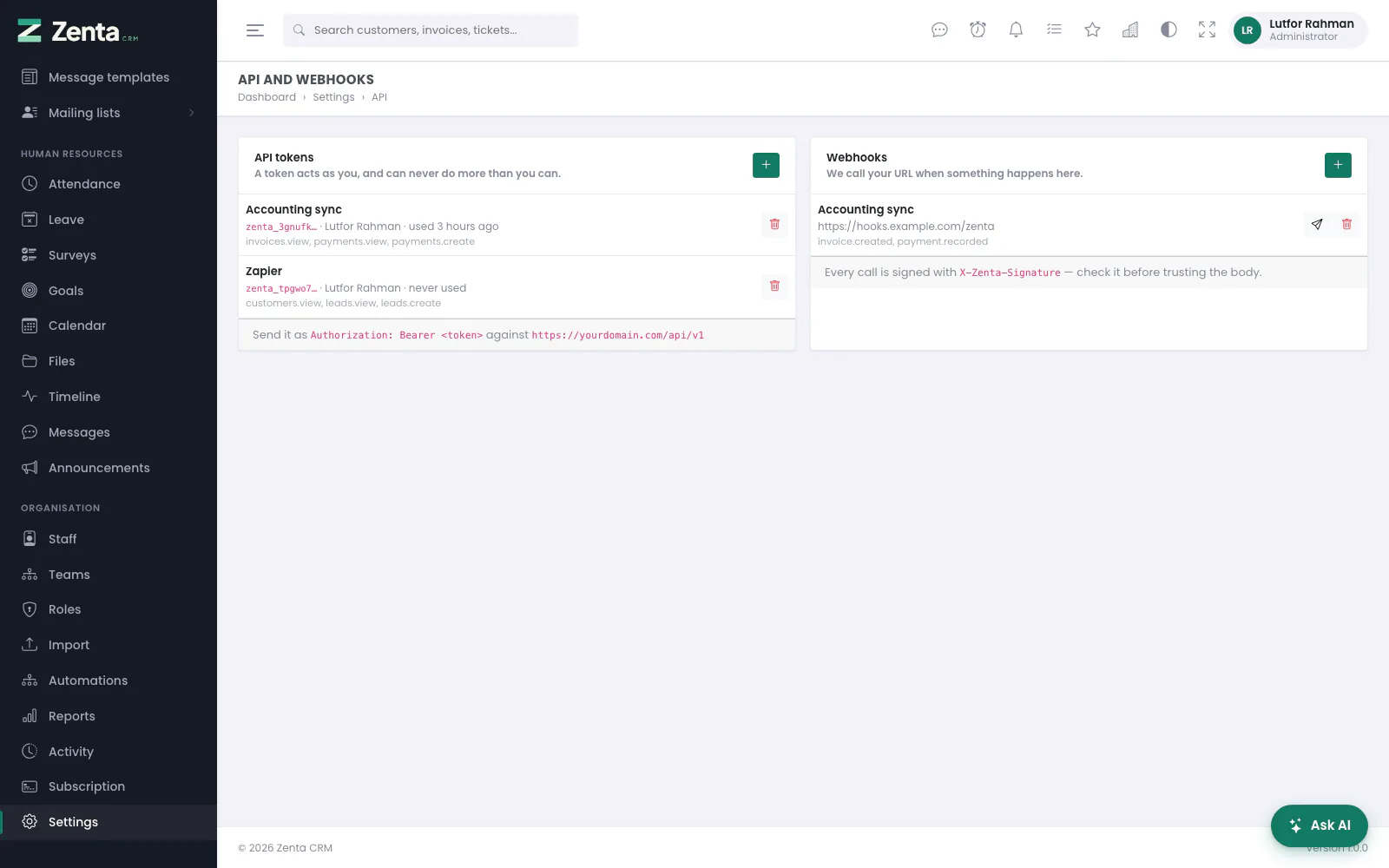 API tokens and webhooks, with what each token may reach.
Settings → API and webhooks → API tokens. Give it a name, optionally an expiry date, and choose what it may do.
For an app: sign in with a password
A mobile or desktop app signs its user in and gets a token back. It sends the request to the workspace’s own address, the same one its sign-in page is on:
POST /api/v1/auth/token            (staff)
POST /api/v1/portal/auth/token     (customer contacts)

{ "email": "grace@example.com", "password": "...", "device_name": "Zenta for iPhone" }

201 Created
{ "data": { "token": "zenta_ab12cd3.…", "token_type": "Bearer", "expires_at": null,
"user": { "id": 3, "name": "Grace Hopper", "type": "staff", "customer_id": null } } }- The sign-in works only at the workspace’s own address. A correct password for another workspace is refused exactly like a wrong one.
- Five wrong tries lock that email address out for a while, as on the sign-in form. Every attempt goes on the account’s login history as API app.
- A contact can sign in only while Settings → Customer portal → Allow customers to sign in is on and their own portal access is active.
DELETE /api/v1/auth/tokensigns out: the token it was sent with stops working.- A staff member’s app tokens are listed under Settings → API and webhooks with the device name, and can be revoked there.
- A new password signs every app out, whether it was changed on the screens or through the API. If it was changed through the API, the app that changed it stays signed in.
The rules every token follows
- A token can never do more than the person it belongs to. One narrowed to a few permissions carries only those, everywhere in the application, not just at the door.
- The token decides the workspace. No request ever names one, so no request can name somebody else’s.
- The workspace’s switches apply. A module switched off under Settings → Modules answers 404, as its pages do. Settings → Security’s list of allowed addresses applies to the API as well.
- The same scope as the screens. A person who sees only their own customers’ invoices gets only those from the API. A record outside what they may see answers 404, not 403, so ids cannot be probed.
- A lapsed workspace keeps its billing. When a workspace’s subscription has lapsed, every endpoint refuses it except
/api/v1/billingand signing out, so it can still pay.
Making a request
curl https://your-site.com/api/v1/ping \
  -H "Authorization: Bearer zenta_ab12cd3.your-secret-here" \
  -H "Accept: application/json"
/api/v1/ping is the first thing to call: it confirms the token works and
reports whose it is and what it may do.
Addresses follow the screens
An endpoint’s address is the screen’s address without /admin
(or /portal), under /api/v1, with the same method. Marking an
invoice as sent is PATCH /admin/invoices/42/status on the screen and
PATCH /api/v1/invoices/42/status in the API. Every endpoint takes the same
fields as the form that does the same job, and checks them with the same rules.
Answers
| Situation | Status | Body |
|---|---|---|
| One record | 200 | {"data": {...}} |
| A list | 200 | {"data": [...], "meta": {"current_page", "last_page", "per_page", "total"}} |
| Something created | 201 | The new record |
| Something deleted | 204 | Nothing |
| An action with no record to return | 200 | {"message": "...", "data": {...}} |
| Not signed in, or the token is not valid | 401 | {"message"} |
| Not allowed | 403 | {"message"} saying why |
| Not found, or not yours to see | 404 | {"message"} |
| A refusal the screen would also make, such as editing a paid invoice’s lines | 409 or 422 | {"message"} in the screen’s own words |
| Invalid input | 422 | {"message", "errors": {"field": ["..."]}} |
| Too many requests | 429 | Wait for the Retry-After header |
Dates are YYYY-MM-DD, times are ISO 8601 with the offset, amounts are
numbers in the document’s own currency, and a related record comes as
{"id", "name"}. Messages are in the person’s own language.
Listing and paging
GET /api/v1/invoices?unpaid=1&customer=12&per_page=50&page=2
per_page defaults to 25 and is capped at 100. A list takes the same
filters as the screen’s list, under the same names (q to search,
status, customer...).
Changing a record
PUT or PATCH with the fields to change. Fields you leave out keep
their current value. A list such as a document’s lines, a task’s assignees or
a checklist’s steps is replaced as a whole when you send it.
Files
Uploads are multipart/form-data with the same field names as the screen’s
form. Downloads, PDFs and exports come back as the file itself, as they do on the screen.
The options a form picks from
GET /api/v1/lookups returns the currencies, taxes, payment methods,
categories and priorities the admin forms offer, in one call. Any member of staff can
read it. The full definitions (a payment method’s gateway, a currency’s
formatting) are under /api/v1/settings/... and need the Settings
permission.
A worked example: a website contact form
curl -X POST https://your-site.com/api/v1/leads \
  -H "Authorization: Bearer YOUR_TOKEN" \
  -H "Content-Type: application/json" \
  -d '{"name":"Ada Lovelace","company":"Analytical Engines",
       "email":"ada@example.com","value":5000}'
Create a token whose only ability is leads.create. If that token is ever
found in your website’s source, the worst anyone can do with it is create leads.
Rate limits
120 requests a minute, counted per token, so one runaway script cannot lock out your other integrations — even when they all call from the same server. Signing in is limited separately, per address. Actions that are limited on the screens, such as sending a test campaign or changing a password, have the same limits in the API, and each counts only its own uses: a busy search box never uses up a password change.
Webhooks
A webhook is the other direction: when something happens here, we call a URL of yours. Add one under Settings → API and webhooks → Webhooks.
Events
| Event | Fires when |
|---|---|
lead.created | A lead is created |
lead.converted | A lead becomes a customer |
customer.created | A customer is created |
invoice.paid | An invoice is settled in full |
ticket.created | A ticket is opened |
ticket.replied | Somebody replies to a ticket |
ticket.closed | A ticket is closed |
The live list is always at /api/v1/webhook-events.
What you receive
POST https://your-endpoint.example/hook
X-Zenta-Event: invoice.paid
X-Zenta-Delivery: 4821
X-Zenta-Signature: sha256=a3f1...

{
  "event": "invoice.paid",
  "occurred_at": "2026-09-09T14:22:31+00:00",
  "data": { "invoice_id": 42, "number": "INV-000042", "total": 1450.00 }
}
Checking the signature
Every call is signed with HMAC-SHA256 over the exact bytes sent, using the secret shown when you created the endpoint. Check it before trusting anything in the body — a URL can be guessed, a signature cannot.
$expected = 'sha256=' . hash_hmac('sha256', $rawBody, $yourSecret);

if (! hash_equals($expected, $_SERVER['HTTP_X_ZENTA_SIGNATURE'])) {
    http_response_code(403);
    exit;
}
Use hash_equals, not ==, so the comparison takes the same time whether it fails on the first character or the last.
Failures
Answer with any 2xx status. Anything else counts as a failure, and after ten failures in a row the endpoint is paused so a dead URL does not become a queue that never drains. Editing the endpoint clears the count. Every attempt is recorded, with the status and the response.
Addresses on this page
For reference and for anyone scripting against the panel. Everything here needs somebody signed in to the workspace whose role allows it; anybody else is refused.
| Method | Address | What it does |
|---|---|---|
GET | admin/settings/api | Settings → API and webhooks: the staff tokens and the webhooks. |
POST | admin/settings/api/tokens | Makes a token for a member of staff, with the permissions and expiry chosen; the secret is shown once. |
DELETE | admin/settings/api/tokens/{token} | Revokes a staff token. |
POST | admin/settings/api/webhooks | Adds a webhook: the address, the events and a signing secret. |
PUT | admin/settings/api/webhooks/{webhook} | Changes a webhook. |
DELETE | admin/settings/api/webhooks/{webhook} | Removes a webhook. |
POST | admin/settings/api/webhooks/{webhook}/test | Sends a signed test delivery and shows what came back. |