Settings
Where the workspace is set up: the list down the left, what each entry opens, who may change it, and the company details it starts on.
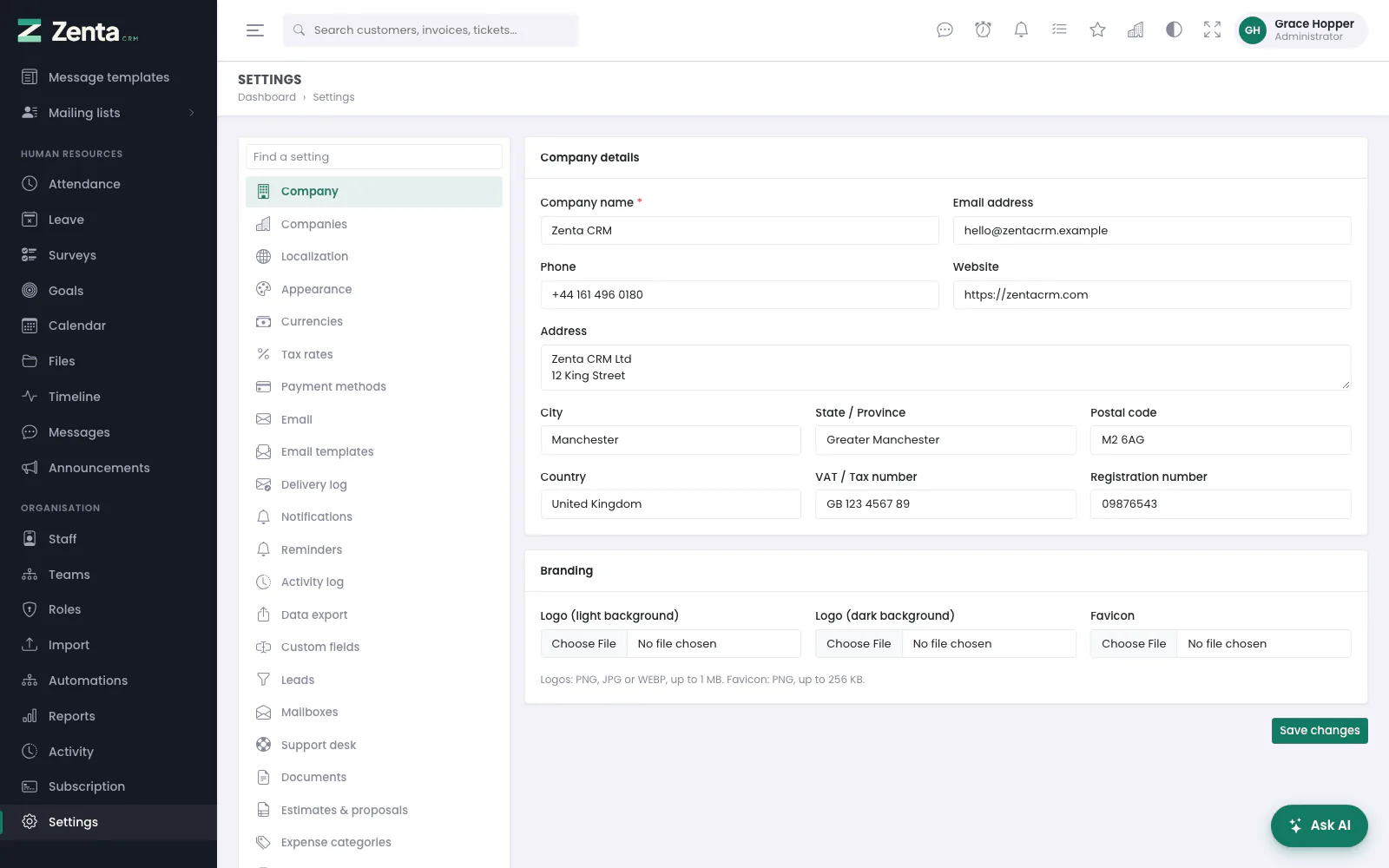 Settings opens on the company details, with every other settings screen listed down the left.
Settings, at the foot of the staff sidebar, is where a workspace is set up rather than used: the company details printed on every document, how email is sent, which parts of the product are switched on, the lists records are filed under, and the connections to other services. It opens on Company. In SaaS mode everything here belongs to the workspace, so each workspace has its own.
Getting around
Every settings screen shares the same frame: the list of settings screens down the left, the screen you chose on the right.
- Find a setting, at the top of the list, narrows it as you type, so you do not have to scroll past forty entries.
- On a phone the list becomes a single dropdown at the top of the page; choosing an entry opens it.
- The list can be reordered and trimmed for the whole workspace under Settings → Menu — see Modules and menus. Menu itself can never be hidden, so anything hidden can be brought back.
- A module that is switched off (Settings → Modules) takes its own entries out of the list, for example AI assistance, Marketing channels or Leave types.
- A plugin can add a settings screen of its own to the list.
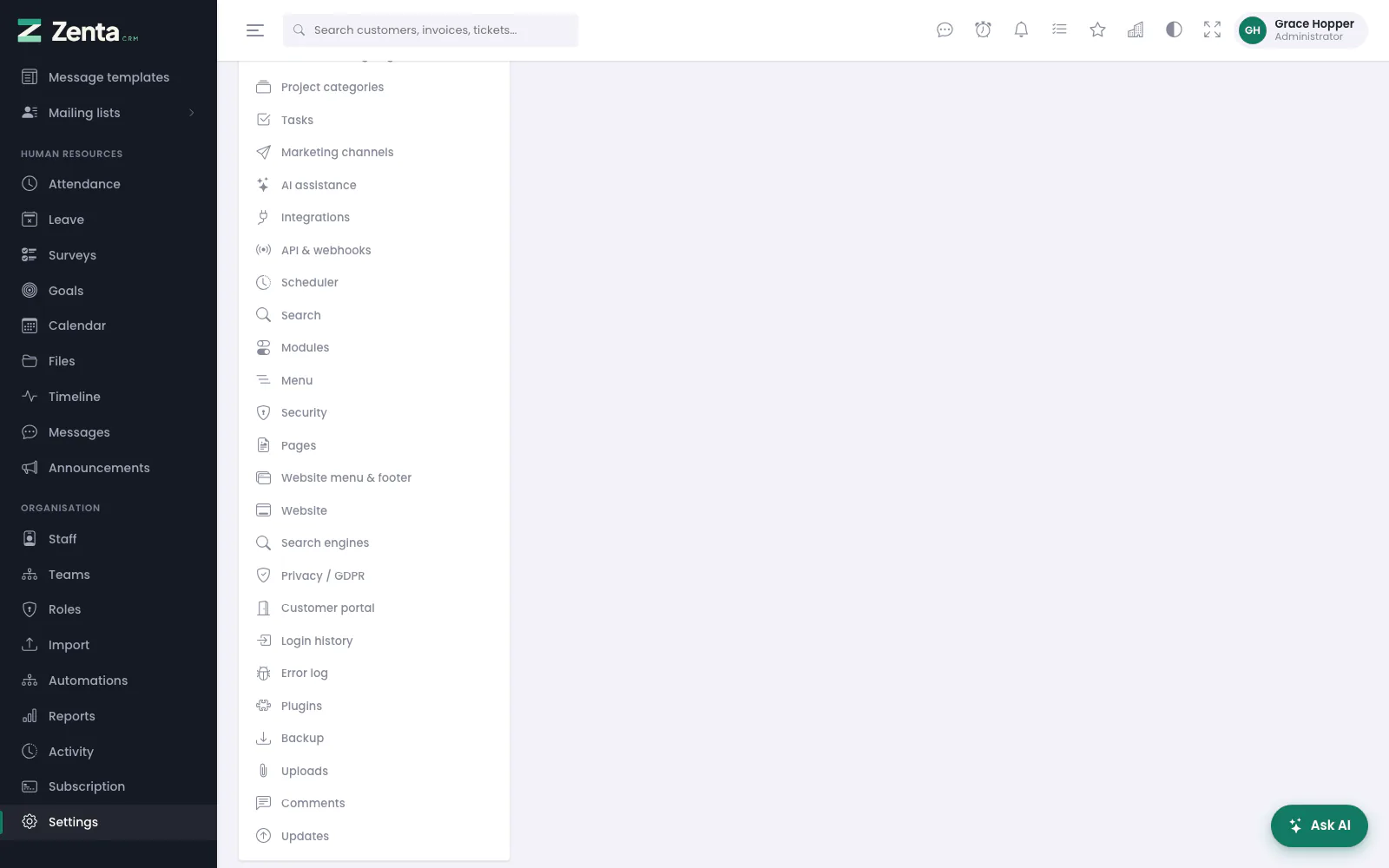 The rest of the list: the entries for administrators and the super admin come last.
Who can open it
| Who | What they get |
|---|---|
| A role with Settings → view | Every screen below, read-only: forms show, but saving is refused. |
| A role with Settings → edit | Can save them, and sees the + beside the dropdowns that add to a list without leaving a form (see Customising). |
| Administrators only | Login history, Appearance → Custom code, Plugins and Updates, whatever the role says. |
| On a SaaS install, the super admin only | Error log, Plugins, Backup and Updates. They act on the whole install — every workspace's code, database or log — so a workspace's own administrator does not see them, and the addresses answer "not found" or "forbidden". |
Roles are set under Organisation → Roles; see Roles and permissions.
Every settings screen
In the order the list shows them out of the box:
| Entry | What it sets | Documented in |
|---|---|---|
| Company | Your company's name, address, VAT number, logos and favicon. | Below |
| Companies | Other legal entities you issue documents as. | Multiple companies |
| Localization | Language, time zone, date and time formats, the weekend, the languages on offer. | Languages |
| Appearance | Colours and named themes, the sign-in page, the installable app, custom code. | Appearance |
| Currencies | The base currency and the others you invoice in. | Sales |
| Tax rates | The rates offered on document lines. | Sales |
| Payment methods | The ways customers pay: online gateways, and methods recorded by hand. | Payments |
| How mail is sent, the sender, the queue and hourly limit. | Email delivery | |
| Email templates | The text of every automatic email. | Email delivery |
| Delivery log | Every email sent, queued or failed. | Email delivery |
| Notifications | The bell, desktop notifications and instant delivery. | Notifications |
| Reminders | The automatic reminders to customers and staff. | Below, and Reminders |
| Activity log | Whether the activity log is kept, and for how long. | Below, and Activity |
| Data export | Who sees the Export button on lists. | Exporting |
| Custom fields | Your own fields on leads, customers, invoices and more. | Customising |
| Leads | Duplicate-lead warnings, the pipeline board, and who hears about new leads. | CRM |
| Mailboxes | Mailboxes read for new leads and tickets. | Support |
| Support desk | How the desk behaves, and its departments, statuses, priorities, services, canned replies and ticket templates. | Support |
| Documents | How invoices, estimates, proposals and credit notes are numbered, and what a new invoice, estimate or proposal starts with. | Sales |
| Estimates & proposals | What happens when a customer accepts one, and what they may do with it. | Documents |
| Expense categories | The categories expenses are filed under. | Expenses |
| Item groups | The groups the item library is filed under. | Items |
| Time tracking | Rounding logged time, and how timers behave. | Time |
| Attendance & leave | The working week, closing forgotten shifts, the leave year. | Below, and People |
| Leave types | Kinds of leave and their allowances. | People |
| Contracts & signing | Contract types, and signing for the business. | Contracts |
| Project categories | The categories projects are filed under. | Projects |
| Tasks | Task priorities and checklist templates. | Tasks |
| Marketing channels | Campaign email, text messages and WhatsApp through your own accounts. | Marketing |
| AI assistance | The AI provider and the agents you write. | AI |
| Integrations | Google, Dropbox, reCAPTCHA, GitHub and Bitbucket, social sign-in, the formatting editor. | Integrations |
| API & webhooks | API tokens and outgoing webhooks. | REST API and webhooks |
| Scheduler | Whether the cron entry is running, and what it runs. | The scheduler |
| Search | How many results the search box shows. | Searching |
| Modules | Switch whole parts of the product off. | Modules and menus |
| Menu | The staff sidebar, the portal menu and this list. | Modules and menus |
| Security | Keeping sign-in to known networks. | Security and sign-ins |
| Pages | Pages of your own on the public website and for staff. | Website |
| Website menu & footer | The public website's menu and footer. | Website |
| Website | The blocks the public front page is built from, and the blog. | Website |
| Search engines | Whether the public pages may be indexed, the sitemap and link previews. | Below, and Website |
| Privacy / GDPR | Consent, data requests and removal. | Privacy |
| Customer portal | How customers get into the portal and what they find there. | Client portal settings |
| Login history | Every sign-in attempt. Administrators only. | Security and sign-ins |
| Error log | The end of the application's log file. On SaaS, the super admin only. | Troubleshooting |
| Plugins | Installing and switching plugins. Administrators; on SaaS, the super admin only. | Plugins |
| Backup | Taking, downloading and scheduling backups. On SaaS, the super admin only. | Backups |
| Uploads | Which files may be attached, and how large. | Security and sign-ins |
| Comments | Formatting and voice notes in comments. | Working together |
| Updates | Installing a new version. Administrators; on SaaS, the super admin only. | Updating |
Six of the screens above — Company, Localization, Reminders, Activity log,
Attendance & leave and Search engines — are simple groups of settings
that share one address, /admin/settings/{group}, and one
Save (or Save changes) button that stores the whole
group at once. The rest of this page covers them.
Company
Settings → Company is your company profile: the default company that every invoice, estimate, proposal, credit note and contract is issued by unless it names another (see Multiple companies). What you type here is printed on those documents and their PDFs, so it is worth getting right before you raise anything.
| Field | What it does |
|---|---|
| Company name | Required, up to 150 characters. On every document, the sign-in pages (when there is no logo) and in emails as {company_name}. |
| Email address, Phone, Website | Optional contact details printed on documents. The website must be a full address starting https://. |
| Address, City, State / Province, Postal code, Country | Optional. The address block on documents. |
| VAT / Tax number, Registration number | Optional, up to 60 characters each. |
| Logo (light background) | PNG, JPG or WEBP, up to 1 MB. On documents, and on the sign-in pages in place of the initial and name. |
| Logo (dark background) | The same rules. Shown instead in dark mode, where a dark logo would disappear. |
| Favicon | PNG only, up to 256 KB. The icon in the browser tab on every page. |
Choose a file and press Save changes; the new picture replaces the old one, which is deleted. A picture already uploaded is shown above its box. SVG and ICO files are refused on purpose: an SVG is a document that can carry a script, and a logo is not worth that risk.
Localization
Settings → Localization sets the workspace language and time zone, the date and time formats, the first day of the week, the weekend, and which languages staff and customers may choose. It is covered in full in Languages.
Reminders
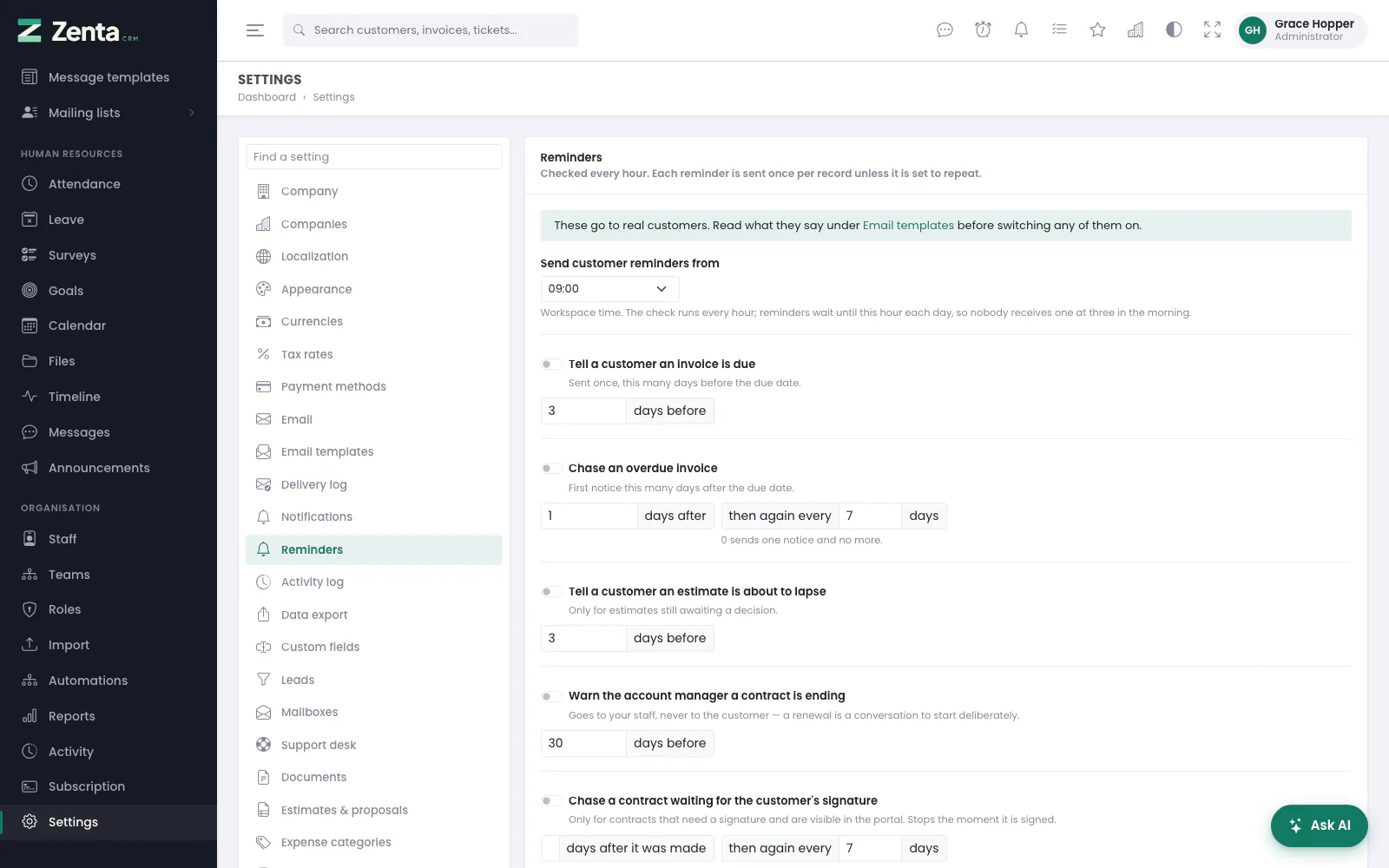 Reminders: each one has its own switch and its own timing.
Settings → Reminders switches on the reminders the product sends by itself. The check runs every hour; each reminder is sent once per record unless it is set to repeat. Every switch starts off.
- Send customer reminders from — the hour of the day, in the workspace's time zone, before which no customer reminder goes out.
- To customers: Tell a customer an invoice is due (days before), Chase an overdue invoice (days after, then again every so many days; 0 sends one notice and no more), Tell a customer an estimate is about to lapse and Chase a contract waiting for the customer's signature.
- To staff: Warn the account manager a contract is ending, Remind staff a task is due, Remind staff on the day a task is due, Tell staff a task is overdue, Send task deadline reminders to followers as well, and Send the weekly unbilled-time note (on the weekdays you tick, to each person about their own time or to the members of this workspace's staff you tick about everybody's).
What each reminder says is its email template, under Settings → Email templates. Anything more particular than these switches is a job for an automation. The whole screen, reminder by reminder, is in Reminders; they are sent by the scheduler.
Activity log
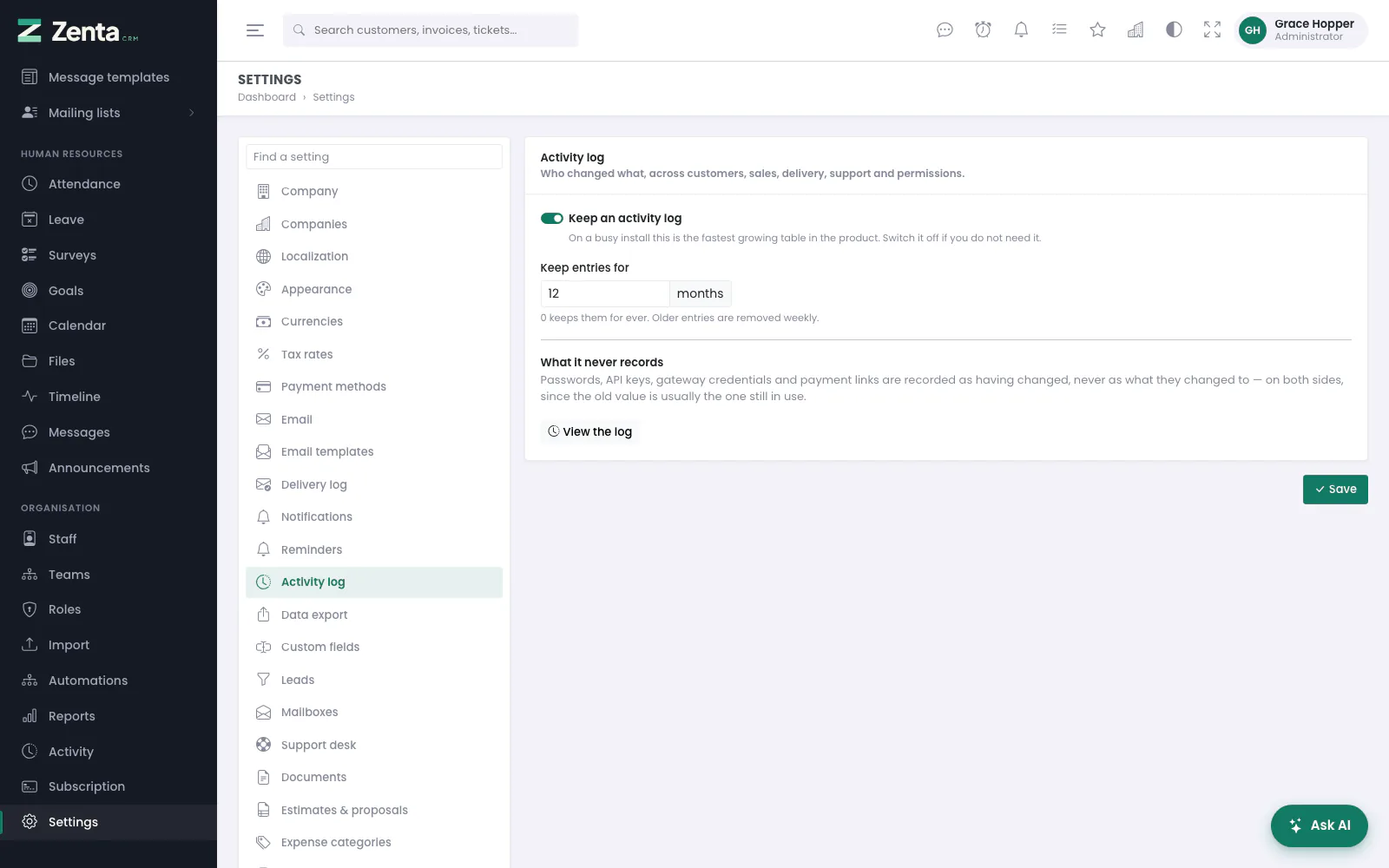 Whether the activity log is kept, and for how long.
| Setting | What it does |
|---|---|
| Keep an activity log | On as shipped. Records who changed what across customers, sales, delivery, support and permissions. On a busy install it is the fastest-growing table, so switch it off if nobody reads it. |
| Keep entries for | Months, 0 to 120. Older entries are removed weekly by the scheduler; 0 keeps them for ever. |
Passwords, API keys, gateway credentials and payment links are recorded as having changed, never as what they changed to. View the log opens it; see Activity.
Attendance & leave
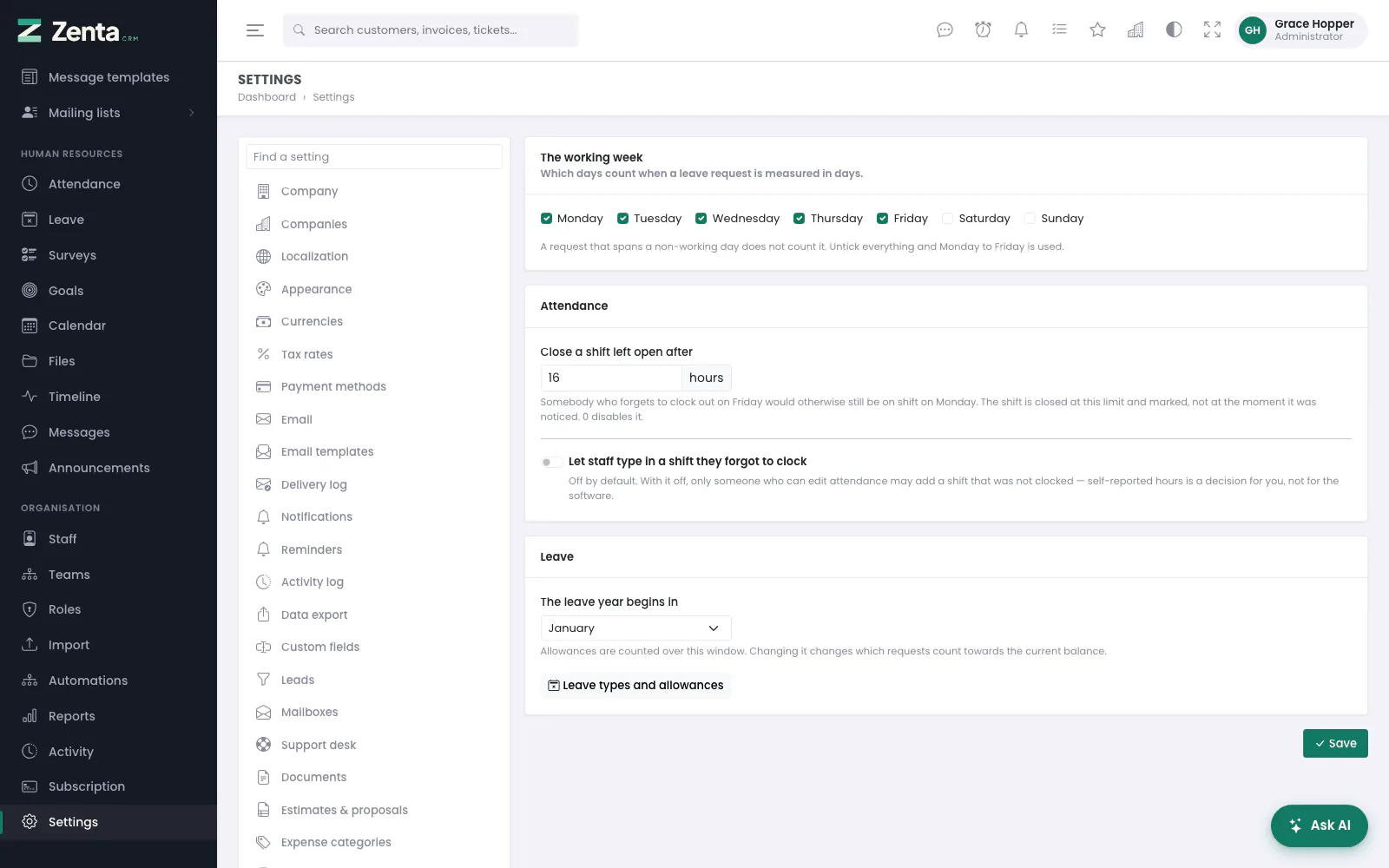 The working week, forgotten shifts, and when the leave year starts.
| Setting | What it does |
|---|---|
| The working week | The days that count when a leave request is measured in days. Untick everything and Monday to Friday is used. This is the same setting as the weekend under Localization, seen from the other side. |
| Close a shift left open after | Hours, 0 to 168. A shift nobody clocked out of is closed at this limit and marked. 0 switches it off. |
| Let staff type in a shift they forgot to clock | Off as shipped. Off, only somebody who may edit attendance can add a shift that was not clocked. |
| The leave year begins in | The month allowances are counted from. Changing it changes which requests count towards the current balance. |
Leave types and allowances opens Settings → Leave types. Attendance and leave themselves are in People.
Search engines
 Search engines: off as shipped, because most installs are a private CRM.
| Setting | What it does |
|---|---|
| Let search engines index the public pages | Off as shipped. Only the pages a visitor without an account can already read — the front page, pricing, the knowledge base, your public pages and the blog. Nothing under /admin, /portal or /api is ever indexable. |
| Publish a sitemap | On as shipped. Serves /sitemap.xml and names it in robots.txt. |
| Title | What the front page's browser tab says. Blank uses your company name. |
| Link preview style | Large picture or Small picture, for when a page is shared on social media. |
| Description | Up to 300 characters: the line a search result shows under the title, where a page has nothing more specific. |
| Picture when a page is shared | A path on this site or a full address. |
| Verification tags | Up to ten meta or link tags, such as a search console's verification tag. Anything that could run is dropped. |
| Extra robots.txt rules | One directive per line, added after the product's own. /admin, /portal, /tenant/admin and /api are always disallowed. See the file opens the result. |
The public website itself is in Website.
Addresses on this page
For reference and for anyone scripting against the panel. Everything here needs somebody signed in to the workspace whose role allows it; anybody else is refused.
| Method | Address | What it does |
|---|---|---|
GET | admin/settings | Opens Settings, on the Company screen. |
GET | admin/settings/{group} | One of the grouped screens: company, localization, reminders, activity, hr (Attendance & leave) or seo (Search engines). Any other name answers 404. |
PUT | admin/settings/{group} | Saves that group. company also takes the logo, dark logo and favicon uploads. |