Payments
The platform's ledger: every payment a workspace made, whether a gateway reported it or you recorded it.
 The ledger: totals per currency, the payments, and month by month.
Tenant admin → Payments. Subscriptions say what a workspace is entitled to; this says what anybody actually paid. Every payment a gateway reports lands here as it arrives, and so does every bank transfer you record by hand, so "how much did we take in March" and "show me the transfer they say they sent" have one answer between them.
What the screen shows
- Taken in … — one card per currency: the total received and how many payments. Totals are per currency and never added together; one number made by pretending two currencies are interchangeable would be worse than no number.
- The payments — when, which workspace (with the period it covers and any note), the plan, the amount, and how it arrived: the gateway's name, or Recorded by hand with who recorded it. A refunded or failed payment carries a badge. A failed card is on the record but is not income.
- Month by month — the last twelve months, per currency.
A workspace that has since been deleted keeps its payments, under the name it had.
Filtering and exporting
Filter by Workspace, How (a gateway, or recorded by hand), Status (received, refunded, failed) and a From / To date, then press Filter. The totals and months follow the filter.
CSV and Excel download exactly the rows the filter shows (up to 5,000): date, workspace, plan, amount, currency, status, how, the period, the gateway's reference and the note.
Recording a payment by hand
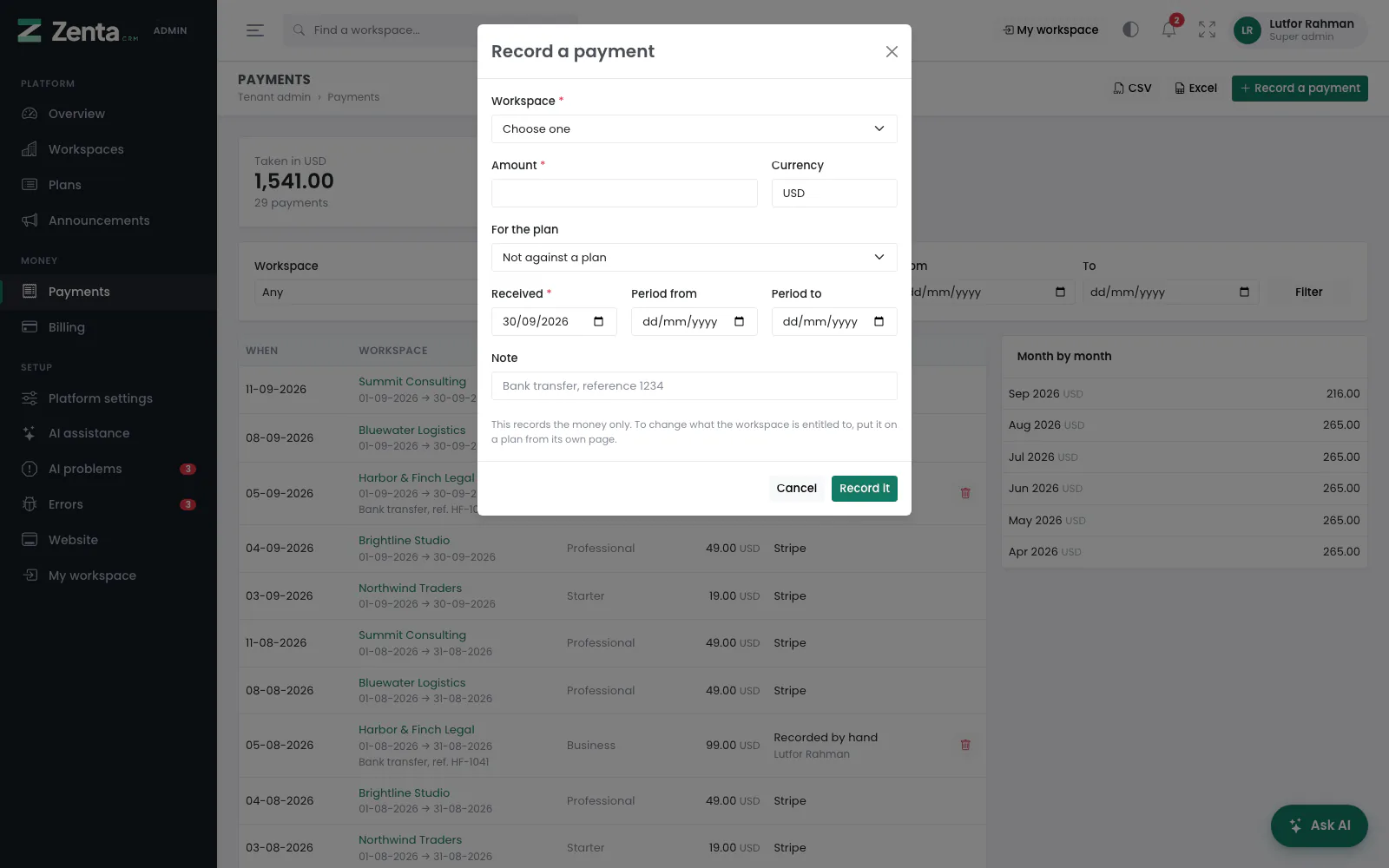 Recording a bank transfer.
Press Record a payment.
| Field | What it does |
|---|---|
| Workspace | Required. Who paid. |
| Amount and Currency | Required. The currency starts as the one you take most. |
| For the plan | Optional: the plan it pays for, or Not against a plan. |
| Received | Required. The day the money arrived; today by default. |
| Period from / Period to | Optional. The period it covers. |
| Note | Optional, e.g. Bank transfer, reference 1234. |
Press Record it.
Removing a payment
The button on a row you recorded by hand, then confirm. A payment a gateway reported cannot be removed here: it is that gateway's record of what it took, and deleting it would make your ledger disagree with your bank. Refund it through the gateway instead.
Addresses on this page
For reference and for anyone scripting against the panel. Everything here needs a signed-in super admin at the platform's own address; anybody else gets 403.
| Method | Address | What it does |
|---|---|---|
GET | tenant/admin/payments | The ledger, with tenant, method, status, from and to filters. |
GET | tenant/admin/payments/export/{format?} | Downloads the filtered rows as csv (the default) or xlsx. |
POST | tenant/admin/payments | Records a payment by hand. |
DELETE | tenant/admin/payments/{payment} | Removes a payment recorded by hand. |